
Best YouTube Comments Analyzer Tools in 2026
Discover the top 5 YouTube comment analysis tools. Compare AI-powered sentiment analysis, topic extraction, and audience insights to find your best fit.
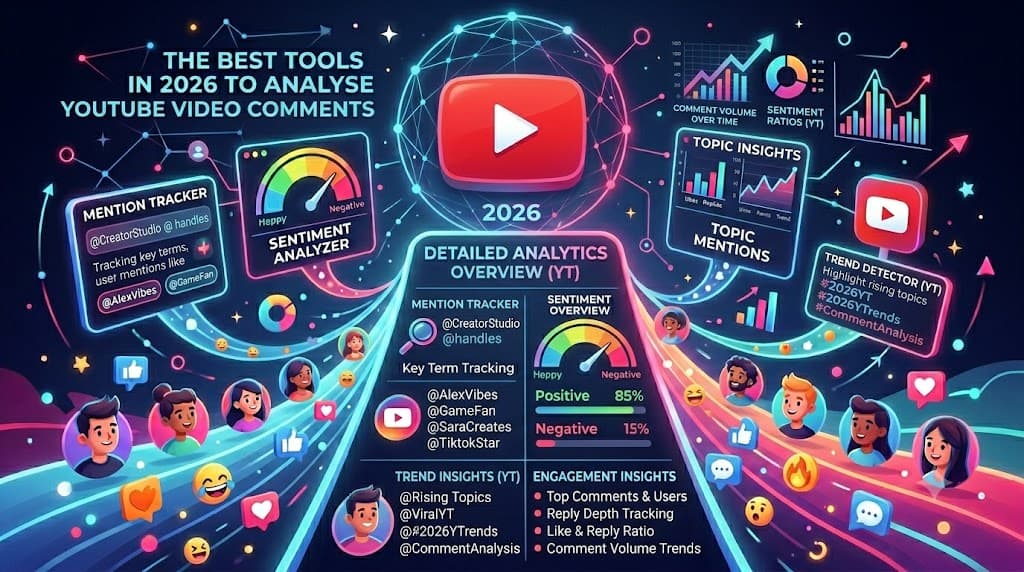
YouTube comments are a goldmine of audience feedback. Viewers tell you what they loved, what confused them, and what they want to see next. The problem is finding those insights without spending hours scrolling.
This guide compares the five best YouTube comment analyzer tools that use AI to extract sentiment, topics, and actionable insights from your comment sections.
Why Analyze YouTube Comments
Reading comments one by one does not scale. When a video hits 10,000 comments, you need a systematic way to understand what your audience is saying.
Good comment analysis tools help you:
- Measure sentiment: Did viewers love it, hate it, or feel neutral?
- Find content ideas: What are viewers asking you to make next?
- Spot opportunities: Which comments need replies or contain sponsorship signals?
- Identify fans: Who are your most engaged supporters?
- Track trends: How does sentiment change across your video catalog?
The 5 Best YouTube Comments Analyzers
1. Comlyzer (Best Overall)
Best for: Creators who want actionable insights without manual analysis
Comlyzer reads every comment on your YouTube videos and delivers a report that tells you what matters. Instead of a spreadsheet of raw text, you get sentiment scores, trending topics, content ideas, and a list of priority comments that need your attention.
Key Features
- AI-powered sentiment scoring (positive, negative, neutral)
- Automatic topic clustering and keyword extraction
- Content ideas generated directly from audience requests
- Top fans identification by engagement frequency
- Priority comments highlighting (complaints, questions, high-engagement posts)
- Suggested replies for common questions
- Spam and bot filtering
- CSV export for custom analysis
- Multi-platform support (YouTube, TikTok, Instagram, Facebook)
How It Works
- Paste your YouTube video URL
- Comlyzer fetches and analyzes all comments with AI
- Get a report in under 30 seconds with sentiment, topics, and content ideas
Pricing
One-time credit packs (no subscription trap):
- Starter Pack: $5 for 300 credits (~5 videos with 1,000 comments)
- Creator Pack: $19 for 3,000 credits (~58 videos with 1,000 comments)
- Business Pack: $49 for 15,000 credits (~290 videos with 1,000 comments)
Credits last 12 months and stack when you buy more.
Pros
- Turns thousands of comments into actionable insights
- Identifies video ideas your audience is already asking for
- Saves hours of manual scrolling
- One tool works across all major social platforms
- No monthly subscription required
Cons
- Requires account signup
- Higher cost than raw export-only tools (but delivers more value)
Verdict: Comlyzer is the best choice for creators who want to understand their audience without drowning in comment sections. The AI analysis extracts insights you would miss on your own.
2. MicroPoster YouTube Comment Analyzer
Best for: Quick sentiment checks and basic insights
MicroPoster offers a free AI-powered YouTube comment analyzer that focuses on sentiment detection and basic audience insights. It is a web-based tool for quick analysis without setup.
Key Features
- Real-time sentiment analysis
- Audience intent detection
- Content suggestions based on comments
- Purchase intent identification
- Collaboration opportunity spotting
Pricing
Free tier available. Paid plans for higher volume or advanced features.
Pros
- Free to start
- Quick results without account creation
- Detects purchase intent (useful for sponsors)
- Web-based, no software to install
Cons
- Limited depth of analysis
- Free tier has restrictive limits
- No export capabilities
- Less reliable on very large comment sections
Verdict: A decent starting point if you want to test AI comment analysis. Upgrade to Comlyzer for more comprehensive insights and export capabilities.
3. VADER-Based Open Source Solutions
Best for: Developers who want full control
VADER (Valence Aware Dictionary and sEntiment Reasoner) is a popular Python library for sentiment analysis. Many developers use it to build custom YouTube comment analyzers.
Key Features
- Rule-based sentiment analysis
- Optimized for social media text
- Handles emojis and slang reasonably well
- Completely free and open source
- Can be customized for specific needs
Pricing
Free. Requires Python knowledge and setup time.
Pros
- No ongoing costs
- Fully customizable
- Large community and documentation
- Transparent scoring methodology
Cons
- Requires programming skills
- You must build the entire pipeline yourself
- No built-in YouTube API integration
- No topic extraction or content idea generation
- Maintenance burden on you
Verdict: Only choose this path if you have technical resources and very specific requirements. For most creators, a commercial tool like Comlyzer delivers better results in a fraction of the time.
4. YouTube Studio Built-in Comments
Best for: Basic moderation and sorting
YouTube Studio includes built-in comment management with some light filtering and sorting. It is not true analysis, but it is worth mentioning as the baseline option.
Key Features
- Filter by responded/unresponded
- Sort by newest first or top comments
- Basic keyword filtering
- Mark comments for review
- Held for review queue
Pricing
Free with any YouTube channel.
Pros
- Completely free
- Already built into your workflow
- No additional tools needed
- Direct reply functionality
Cons
- No sentiment analysis
- No topic clustering
- No AI insights
- Limited to 100 comments visible at once
- Cannot export data for further analysis
Verdict: YouTube Studio is fine for basic moderation but useless for strategic analysis. Any serious content creator will quickly outgrow it.
5. Custom GPT Solutions (ChatGPT, Claude)
Best for: Ad-hoc analysis of small comment sets
Some creators manually copy YouTube comments and paste them into ChatGPT or Claude with prompts like "analyze the sentiment of these comments" or "what topics are people discussing?"
Key Features
- Flexible analysis based on your prompts
- Can handle creative requests
- No specialized tool needed
Pricing
Free tiers available on most AI platforms. Paid plans for higher usage.
Pros
- Very flexible
- Can ask follow-up questions
- No new tool to learn
Cons
- Manual copy-paste workflow is tedious
- Comment limits on AI context windows
- Cannot scale to thousands of comments
- No persistent data or tracking
- Time-consuming for regular use
Verdict: Fine for one-off experiments. For regular content analysis, a dedicated tool like Comlyzer saves massive amounts of time.
Comparison Table
| Tool | Sentiment | Topics | Content Ideas | Export | Best For |
|---|---|---|---|---|---|
| Comlyzer | Yes | Yes | Yes | CSV, Excel | Professional creators |
| MicroPoster | Yes | Basic | Basic | No | Quick checks |
| VADER/Open Source | Yes | No | No | DIY | Developers |
| YouTube Studio | No | No | No | No | Basic moderation |
| ChatGPT/Claude | Manual | Manual | Manual | No | One-off use |
What to Look for in a Comment Analyzer
When evaluating tools, prioritize these features:
- Accurate sentiment scoring: Does it correctly identify positive vs negative comments?
- Topic extraction: Can it group comments by theme automatically?
- Content ideas: Does it suggest video topics based on audience requests?
- Export options: Can you get your data out in CSV or Excel?
- Multi-platform: Does it work across YouTube, TikTok, and Instagram?
- Pricing transparency: Are costs predictable or full of hidden fees?
Our Recommendation
For serious content creators and marketers, Comlyzer is the clear winner. It is the only tool that combines AI sentiment analysis, topic extraction, content idea generation, and multi-platform support with transparent, non-subscription pricing.
The time saved on manual analysis pays for the tool after just a few videos.
Getting Started
Ready to understand your YouTube audience without scrolling? Get started with the Creator Pack and analyze your first video in 30 seconds. No subscription, no hidden fees. Just buy credits when you need insights.